Book Writing
 Book Cover Design
 Book Editing
 Book Formatting
 Book Publishing
 Book Video Trailer
 Book Printing
 Audio Books
 Book Illustrations
 Author Website
 Amazon Page Optimization
 Book Marketing
 Fiction Writing
 Non-Fiction
 Autobiography
 Memoir
 Novel Writing
 Children's Book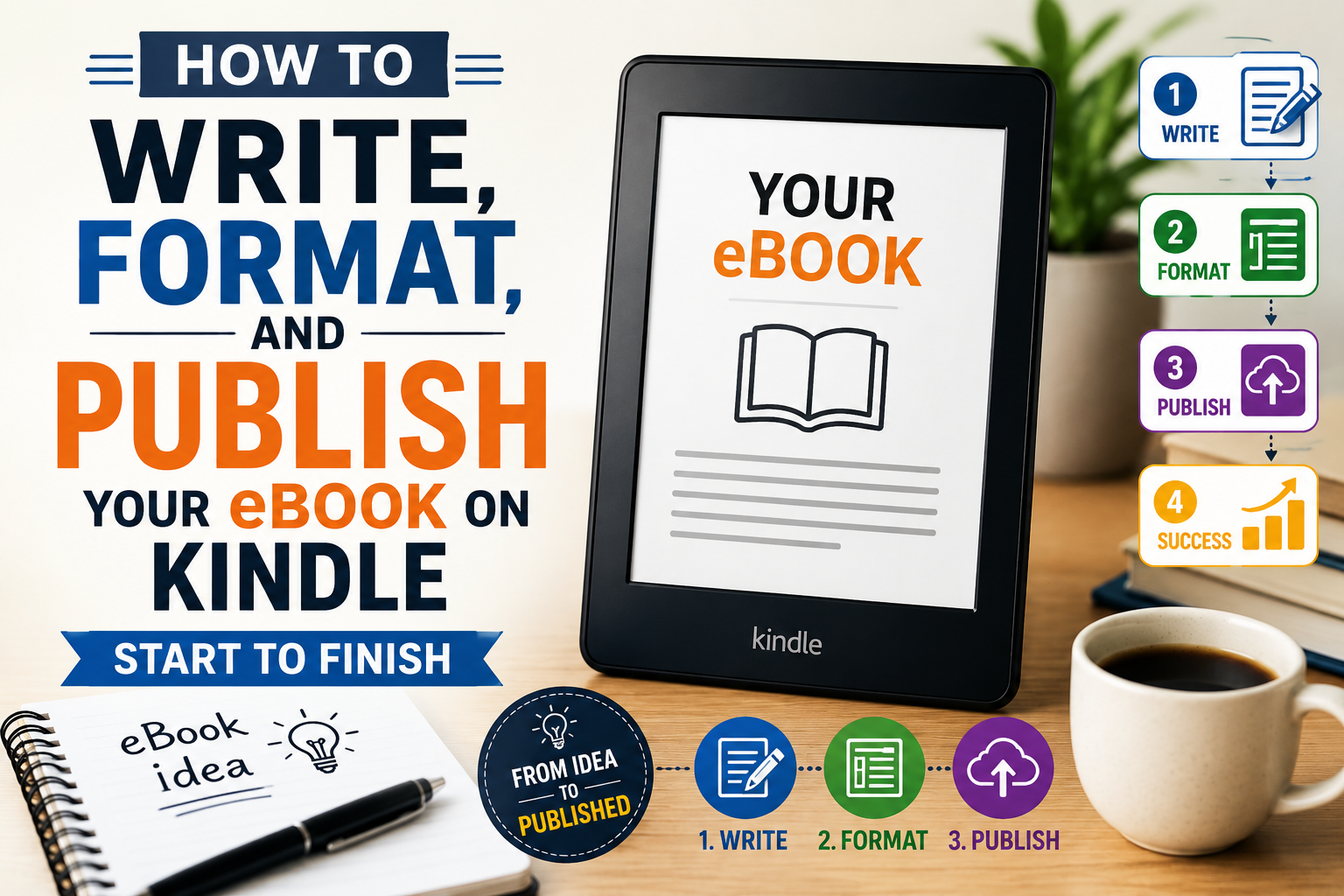
I want to tell you about a mistake almost every first-time author makes. They spend months sometimes years finishing their manuscript. They finally type the last sentence. They feel incredible. And then they open a browser and type “how do I publish my eBook on Amazon” for the very first time. That’s when the panic sets in. Because the writing part? They prepared for that. The rest of it? Nobody told them anything.
This guide exists because that gap is real and it costs people. Not just time, though it does cost time. It costs confidence. It costs sales. Some really good books die quiet deaths on Amazon because the person behind them was flying blind through formatting, guessing at keywords, and hitting publish without understanding what they were walking into. I don’t want that to happen to you.
What follows covers all three stages writing your eBook, formatting it properly, and getting it live on Kindle in one place, in plain English. No jargon walls. No 47-step checklists. Just the stuff that actually matters, explained the way someone who’s been through it would explain it to a friend over coffee.
Let me say something that sounds obvious but apparently isn’t: a Kindle reader is choosing your book over literally everything else they could be doing with that hour. Netflix. TikTok. Sleep. They made an active choice to spend time with your words. That’s a real act of trust, and the only appropriate response is a book that’s worth it.
The writers who struggle most the ones with half-finished manuscripts gathering digital dust usually aren’t struggling because they lack talent. They’re struggling because they sat down and tried to figure out what the book was while writing it. Sometimes that works. Mostly it doesn’t. You end up with 30,000 words that all feel important individually and form no coherent shape together. Then you stop. Then you feel bad about stopping. Then the whole thing dies. A simple chapter outline even just a sticky note with the main beats prevents almost all of that.
Go narrower than feels comfortable
The instinct to cover everything is almost always wrong. A book that tries to be everything to everyone ends up meaning nothing to anyone. One clear promise. One clear reader. That’s the brief.
Write a scrappy outline first
Not a perfect one. Just enough to see the shape of the book before you’re 20,000 words in and realize chapter 4 contradicts chapter 2. Ten minutes of planning saves weeks of rewriting.
Picture one real person reading it
Not a demographic. A person. What do they already know? What are they worried about? What do they wish someone would just explain clearly? Write to them. The rest of your audience will feel it too.
Worth Knowing
Kindle readers move fast and they finish books. They’re not casual browsers. If your chapters drag, they notice. If your transitions are muddy, they notice. A tight 25,000-word book that delivers will outsell a padded 60,000-word one almost every time.
About length: new authors almost always ask this question and then hate the answer, which is that there’s no universal right length. For nonfiction, somewhere between 15,000 and 50,000 words covers most genres. For fiction, you’re really at the mercy of reader expectations cozy mystery fans are fine with 60,000 words, epic fantasy readers expect closer to 100,000. The honest answer is: your book should be exactly as long as it needs to be to fulfill the promise you made on the cover. Not longer, because padding kills pacing. Not shorter, because readers feel cheated by hollow books.
The single thing that separates the well-reviewed Kindle books from the poorly-reviewed ones isn’t talent. It’s editing. Read your draft out loud every sentence. The ones that make you stumble are the ones to cut or rewrite. The chapters that feel slow are slow. The readers who leave three-star reviews and say “it started to drag around chapter 6” are almost always right. They deserve the benefit of the doubt more than your attachment to those paragraphs does.
I’ll be direct about something: formatting is the most unsexy part of this whole process. Nobody gets excited about it. But it’s also the part that, when done badly, turns a genuinely good book into something that reads like a ransom note on a Kindle Paperwhite. Broken chapters. No line spacing. A table of contents that takes you nowhere. These are things real readers encounter and complain about publicly in reviews. It’s painful to watch, especially when it’s so fixable.
Here’s what most people don’t understand: Amazon isn’t just putting your Word doc online as-is. It converts your file into its own format (KFX), and that conversion process is only as clean as your source file. If you’ve been using the spacebar to indent paragraphs and hitting Enter twice between sections, that conversion is going to turn into chaos on someone’s device. If you’ve used proper paragraph styles throughout and structured things cleanly, it’ll look great everywhere phone, tablet, Paperwhite, the Kindle app on a laptop.
Your Formatting Options
Microsoft Word
Works fine if you use it properly meaning paragraph styles, not manual formatting. Most people don’t use it properly, which is why most Word-to-Kindle conversions look rough.
Kindle Create
Free from Amazon. You import your Word doc, pick a theme, see exactly how it’ll look on different devices, fix anything that looks off, then export a clean KPF file ready to upload. No excuses not to use it.
Scrivener / Vellum
Vellum especially produces beautiful output. It costs money, but if you’re publishing more than one book it pays for itself quickly. Worth knowing about.
Three things trip up almost everyone on their first ebook formatting attempt. One: using the spacebar to indent paragraphs. Don’t. Use your paragraph styles. Two: pressing Enter twice between sections to create space. Don’t. Set paragraph spacing instead. Three: building a table of contents manually without actually linking it. Kindle readers will try to tap those chapter titles and go nowhere, and some of them will mention this in their review. Build a proper linked TOC Kindle Create does it for you automatically.
Images are their own thing. Keep them under 127KB and save them as JPEG. Anchor them properly so they don’t end up floating halfway through a sentence on a Paperwhite. And use the Kindle Previewer app before you upload anything. Actually look at your book on a simulated phone, tablet, and e-reader. You’ll catch things you’d never notice in a Word doc.
Please don’t skip the cover conversation
Your cover shows up as a thumbnail about the size of a postage stamp in most Kindle search results. That’s your first impression. That’s your only impression, until someone decides to click. A cover that looks homemade and people can tell, instantly is actively sending potential readers away. Every day. For as long as the book is live.
The solution isn’t to spend a fortune. It’s to look at the top 20 bestsellers in your genre and actually study them. What fonts are they using? What colors? What kind of imagery? Your cover needs to fit into that world not copy it, but belong in it. Readers use covers as genre signals. Give them the right signal.
Here’s the thing about the KDP dashboard: the form is easy. It’s a few pages of fields and dropdowns. You could fill the whole thing in under an hour. That’s not the hard part. The hard part is knowing what to actually put in each field because some of those choices will make your book discoverable and some will make it invisible, and they look identical from the outside.
The field that trips up more authors than any other isn’t the description or the price. It’s the keywords. Seven slots. Most authors type in the first things that come to mind broad, obvious terms that thousands of other books are already targeting. That’s not a keyword strategy, that’s a lottery ticket. The authors who actually get found have thought carefully about the specific phrases real readers type into Amazon’s search bar. That research is worth doing before you open the KDP form, not during.
The KDP Setup Process
Book Details
Title, subtitle, author name, and your book description. That description is the most underestimated field on the whole form. It’s not a summary. It’s a sales pitch. It needs to open with a hook, tell the reader exactly what they’re getting, and end with a reason to click Buy Now. Write it like a copywriter, not like an author narrating their own plot.
Keywords & Categories
Seven keyword slots, two category choices. For keywords, think in full phrases the kind of thing someone types when they’re already looking for a book like yours. Not “self-help.” Something like “how to build confidence at work for introverts.” For categories, find niches where the top 100 is actually reachable for a new title. That orange Bestseller badge isn’t vanity it changes click-through rates in a real way.
Pricing & Royalties
Price between $2.99 and $9.99 and you get 70% royalties. Price outside that range and you’re down to 35%. Most Kindle authors settle somewhere in the $2.99–$4.99 range for individual titles low enough to feel like a no-brainer purchase, high enough to signal that the book has real value. If you’re in Kindle Unlimited, you’ll also earn per page read, which adds up meaningfully on longer books.
Launch Strategy
Don’t just press publish and wait. Amazon’s algorithm pays close attention to the first two weeks early downloads and reviews send a strong signal about a book’s potential. Get a few honest reviews lined up before you go live. Tell whoever’s on your email list (even 50 people is something). Consider a short free or 99¢ window to drive initial traction. That early momentum compounds.
KDP Select is a real decision worth thinking through. When you enroll, your eBook can only be sold on Amazon for 90-day periods no other retailers, no your own website, nowhere else. In return, you’re in Kindle Unlimited (which has millions of active subscribers), and you get access to promotional tools like Countdown Deals and free promotional windows. For most fiction authors, especially those just starting out, it’s usually worth it. For nonfiction authors who’ve already built a presence elsewhere and want to sell directly, the exclusivity feels like more of a constraint. There’s no universal right answer just know what you’re agreeing to.
One last thing that way too many authors skip: your author page on Amazon. It takes twenty minutes to set up properly. A real author photo, a first-person bio that sounds like a human being wrote it, and a link somewhere readers can find you outside of Amazon. Some readers do click through, especially after finishing a book they loved. That’s someone who wants more from you don’t give them a blank page or a placeholder bio that says “I love writing and my cat.”
Go Deeper
Want the Full Breakdown?
So What Actually Separates the Authors Who Make It?
I’ve thought about this a lot. And honestly, it’s not talent. There are some genuinely brilliant writers on Amazon Kindle who are completely invisible, and there are some pretty average ones pulling in consistent income every month. The difference isn’t the writing it’s the understanding that this whole thing is a system, and that system has three parts, and each part matters.
A brilliant book with bad formatting gets one-star reviews about the formatting. A perfectly formatted book with no keyword work gets no visibility. A well-positioned book with a weak cover doesn’t get clicked. Every piece is load-bearing. Skip any one of them and the whole thing wobbles.
But here’s the genuinely encouraging part: none of this is behind a velvet rope. There’s no secret knowledge that only insiders have access to. The platform is open. The tools are free or cheap. The information is all out there, including in this guide. What separates the authors who actually build something on Kindle from the ones who publish once and disappear is just preparation taking each stage seriously, doing the work before hitting publish, giving the book a real shot instead of a hopeful one. Your book deserves that. So do you.
📚 Keep Reading — Related Guides
🔗 How to Write an eBook That Actually Sells on Kindle
🔗 How to Format an eBook for Amazon KDP (Kindle, EPUB & Print Formats)
🔗 Amazon Kindle Publishing Process 2026: Step-by-Step for Beginners
🔗 Amazon Kindle Keywords That Help eBooks Rank Higher