Book Writing
 Book Cover Design
 Book Editing
 Book Formatting
 Book Publishing
 Book Video Trailer
 Book Printing
 Audio Books
 Book Illustrations
 Author Website
 Amazon Page Optimization
 Book Marketing
 Fiction Writing
 Non-Fiction
 Autobiography
 Memoir
 Novel Writing
 Children's Book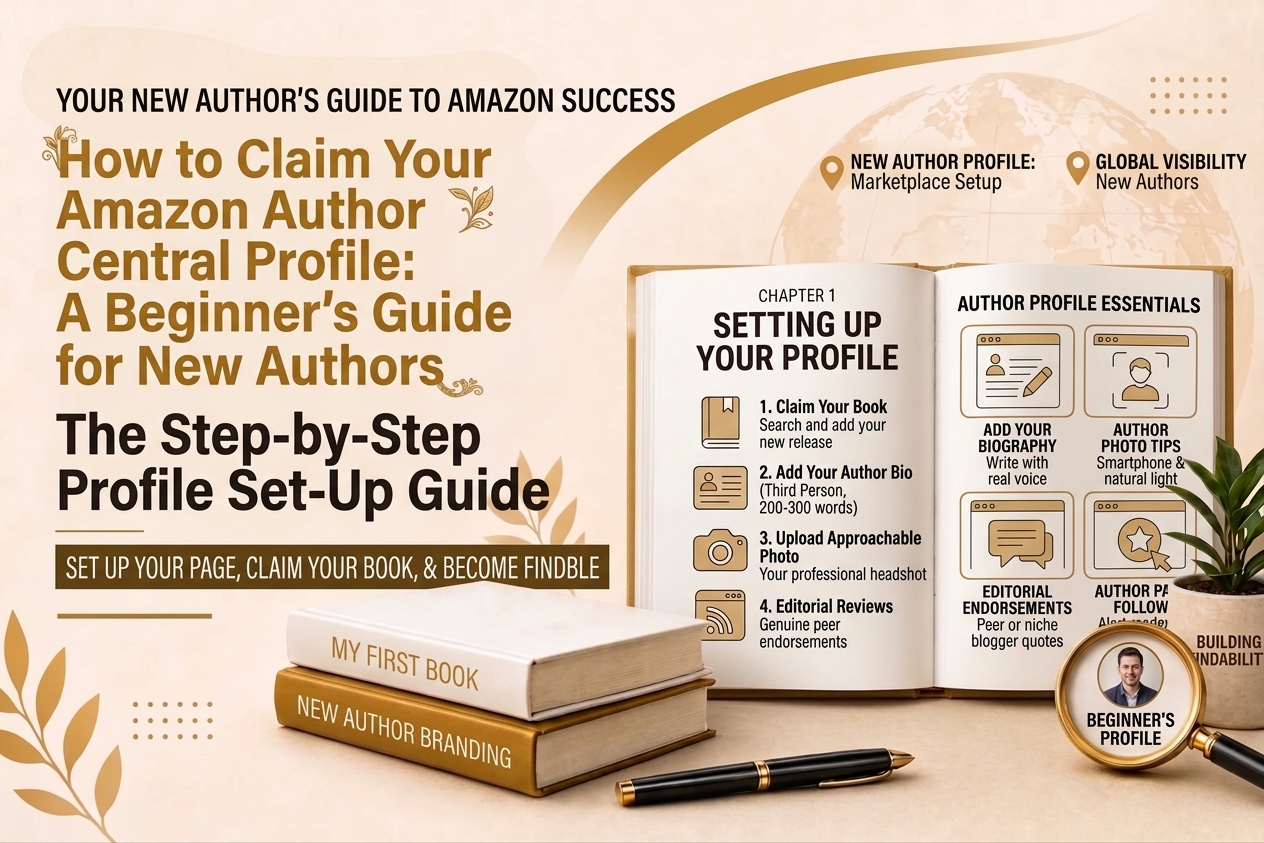
Publishing your first book is one of those milestones that feels enormous when it happens. You’ve written something, you’ve put it out into the world, and it’s sitting there on Amazon with your name on it. That part feels good. What nobody tells you is that the work of actually being findable and trustworthy on Amazon doesn’t stop at publication. It starts there.
One of the first things you should do after your book goes live is claim your Amazon Author Central profile. Not eventually. Not when you have more books out and it feels worth the effort. Now, with your first book, before more readers start clicking your name and landing on a page that tells them nothing about you.
This guide is written specifically for authors who are new to this. If you’ve never heard of Author Central before, or you’ve heard of it but never quite understood what it actually does or why it matters, this is where to start.
What Claiming Your Profile Actually Means
When Amazon says you can claim your Author Central profile, what they mean is this. Your book is already on Amazon. Your name is already there, attached to your listing. But that name is just text right now. It doesn’t link to anything meaningful. There’s no bio, no photo, no list of your books, nothing that tells a reader who you are or gives them a reason to trust you.
Claiming your profile means going into Amazon Author Central, connecting your book to your name, and building out the page that readers land on when they click that name. Once you’ve done that, your name on Amazon becomes a real author page rather than just a label on a product listing.
It costs nothing. It takes a few hours to do properly. And it changes the experience readers have when they find you from one that raises questions to one that answers them.
Why This Matters More for New Authors Than Anyone Else
Established authors have something working in their favor that new authors don’t. Recognition. When a reader sees a name they already know, they don’t need a lot of convincing. They already have a relationship with that author’s work and that relationship does most of the selling for them.
New authors don’t have that yet. When someone finds your book for the first time, they have no frame of reference for who you are. They’re making a judgment call based entirely on what they can find in that moment. The book cover, the description, and your author page. That’s it. If your author page is empty, they’re making that judgment call with a third of the available information missing.
A new author with a complete, well-built Author Central profile is in a fundamentally stronger position than a new author without one. Not because the profile makes up for a weak book, but because it removes the doubt that stops curious readers from becoming paying ones.
Before You Start: The One Thing You Need to Get Right
There is a detail about the setup process that catches a surprising number of new authors off guard, and it’s worth addressing before you open a new browser tab.
Amazon Author Central requires you to log in with the same email address that’s connected to your Kindle Direct Publishing account. That sounds obvious until you realize how many people have multiple Amazon accounts, or signed up for KDP with an old email they barely use anymore, or created their Author Central account with their main Amazon shopping email instead of their KDP email. When the emails don’t match, your book won’t show up when you try to claim it. You’ll search for your own title and find nothing.
Before you start, dig out the email address you used when you set up your KDP account. That’s the one you need.
Setting Up Your Account Step by Step
Once you have the right email address ready, the setup itself is genuinely straightforward.
| Step | Action |
| 1 | Go to authorcentral.amazon.com and click Sign In in the top right corner |
| 2 | Enter the email and password tied to your Amazon KDP account |
| 3 | On the welcome screen, click Join Now to begin registration |
| 4 | Search for your name or your book title to find your Amazon listing |
| 5 | Click the correct result, then click Add This Book to claim your title |
| 6 | Review and accept Amazon’s Author Central terms and conditions |
| 7 | Check your email for a verification link from Amazon and click it within 24 hours |
| 8 | Once confirmed, your Author Central dashboard is live and ready to build out |
If you search for your book and nothing comes up, don’t assume something has gone wrong. Newly published titles can take 24 to 48 hours to become searchable inside Author Central. Try searching by your book’s ISBN instead of the title, and give it a day before you start troubleshooting.
Once you’re inside your dashboard, you’ll see five tabs across the top. Each one handles a different part of your author presence on Amazon.
| Dashboard Tab | What It Does |
| Profile | Where you write your bio, upload your photo, and connect your blog |
| Books | Where you claim and manage every title you’ve published |
| Reviews | Where you can monitor customer reviews across your catalog |
| Sales Info | Where you track sales rank data and author page traffic |
| Author Page | Where you preview exactly how your profile looks to readers |
Writing Your Author Bio as a First-Time Author
This is where most new authors get stuck. Writing about yourself when you don’t have a long publishing history to draw from feels uncomfortable. You might feel like you don’t have enough to say, or that what you do have to say isn’t impressive enough to put on a page where real readers will see it.
That thinking is worth setting aside. Readers don’t need you to have a ten-book catalog or a string of literary awards to feel good about buying your book. They need to feel like you’re a real person with something genuine to offer. A first book written by someone with a clear reason for writing it and a real voice on the page is far more compelling than a long list of credentials that don’t connect to anything personal.
Write your bio in the third person. That’s the standard in publishing. Start with your name, say what kind of book you’ve written, and then tell the story behind it in a way that’s honest and specific.
| Bio Element | What to Include | Why It Matters for New Authors |
| Your name and what you write | Full name and the genre or subject of your book | Tells readers immediately whether your work is relevant to them |
| Your background or expertise | Professional experience, education, or life experience relevant to your book | Gives readers a reason to trust you even without a long publishing history |
| Why you wrote this book | The honest story behind what led you to write it | Creates connection and makes you memorable as a person not just a name |
| Something personal | Where you live, what you care about, something that makes you human | Readers buy from people they feel some connection to |
| What comes next | Any upcoming projects, a series you’re building, or work in progress | Shows readers you’re in this for the long term not just a one-off |
| A closing invitation | Point readers to your website, newsletter, or social media | Starts building a relationship beyond this one book |
Two hundred to three hundred words is enough for a first bio. You don’t need to fill every line. Say something real and specific, keep it focused on what actually matters to your readers, and leave the padding out.
One thing worth knowing: your bio is not permanent. Update it as things change. When you publish your second book, update it. When something significant happens in your writing life, update it. A bio that grows with your career is one of the quiet markers that tells readers you’re actively engaged with your work.
Adding Your Author Photo
Your photo is the first thing readers actually see when they land on your author page. It loads before your bio does and it forms an impression before a single word gets read. That impression shapes how readers process everything else on the page.
For a new author especially, a good photo matters. You don’t have a catalog of books or years of reviews to build credibility for you yet. Your photo is doing some of that work. One that looks professional and approachable says you take your writing seriously. One that looks like an afterthought says something different.
You don’t need to hire anyone. A smartphone, good natural light coming from a window, and a clean background is enough to get something that looks genuinely professional. The things to avoid are anything blurry, anything with a heavy filter, anything where you’re obviously cropped out of another photo, and anything that reads as too casual.
| Requirement | Amazon Spec | What Actually Works |
| File format | JPEG or TIFF only | JPEG is fine for almost every situation |
| Minimum size | 300 x 300 pixels | Upload at 1000 x 1000 or larger for sharp display on all screens |
| Maximum file size | 4 MB | Compress only if you have to and only if quality stays intact |
| Lighting | Sharp, in focus, well lit | Window light from the side is flattering and costs nothing |
| Background | Simple and uncluttered | Plain walls or softly blurred indoor settings work well |
| Expression | Approachable and professional | A genuine relaxed smile from the shoulders up works for almost anyone |
Starting to Build Your Editorial Reviews Section
New authors often skip the editorial reviews section entirely because they assume it’s for authors who already have media coverage and industry connections. That assumption is worth questioning.
Yes, you probably don’t have a blurb from a bestselling author yet. You may not have been reviewed by a major publication. But that doesn’t mean your editorial reviews section has to be empty, and an empty section is a real missed opportunity because this is one of the first things thoughtful readers look at after your description.
Think about who in your world has credibility with your specific readers. A colleague or professional in the field your book covers. A fellow writer whose opinion readers in your genre would respect. A lecturer, a practitioner, a blogger with a following in your niche. Someone who actually read your book and found it worth their time. A genuine endorsement from a person like that, written specifically about what your book does well, does more for an undecided reader than an empty section ever could.
| Type of Review | Where to Find It | What It Does for a New Author |
| Peer or colleague endorsements | People in your professional or personal network who read your book | Shows readers that people with relevant knowledge found the book valuable |
| Niche blogger or reviewer quotes | Book bloggers or reviewers who cover your genre or subject | Provides social proof from voices your target readers may already follow |
| Professional or expert quotes | Practitioners or credentialed people in your book’s subject area | Signals that your content has been looked at by someone who knows the field |
| A note from you directly | Written by you in Author Central | Tells readers exactly who this book is for and what they will get from it |
Send your book to people early. Give them real time to read it. Ask them directly and specifically for a quote. Most people who genuinely enjoyed a book are willing to write a few sentences about it if you ask clearly and make it easy for them.
Connecting Your Blog if You Have One
If you have a blog, even a new one, connecting it to your Author Central profile through an RSS feed is worth doing. When you do, your most recent posts show up directly on your Amazon author page. For a new author without a lot of published titles to show, this is one of the better ways to demonstrate that you’re an active, engaged writer with something to say beyond the book itself.
To set it up, go to the Profile tab inside your dashboard, scroll down to the Blog section, paste your RSS feed URL, and save. Posts usually appear on your author page within 24 hours of going live.
If you don’t have a blog yet, don’t feel like you need to start one immediately just to fill this section. Focus on getting your profile built properly first. But if you’re planning to build any kind of author platform over time, starting a simple blog sooner rather than later gives you something to connect here and gives readers a reason to keep coming back to your page.
What Your Author Page Looks Like to Readers Once It Is Live
Once everything is set up, here is what a reader who clicks your name on Amazon will actually see.
| Page Element | What Readers See | What It Does |
| Author photo | Your headshot at the top of the page | Forms an immediate first impression before anything is read |
| Author bio | Your written introduction in the third person | Answers who you are and why your book is worth their time |
| Book catalog | All the titles you have claimed and linked | Shows readers everything you have published and makes it easy to explore |
| Editorial reviews | Endorsements and quotes you have added | Provides social proof from credible outside voices |
| Blog feed | Your most recent posts if connected | Demonstrates ongoing activity and gives readers more to engage with |
| Follow button | A button readers can click to follow your author page | Notifies followers when you publish new books |
That follow button is worth paying attention to as a new author. Every reader who follows your author page gets notified by Amazon when you publish something new. Building that list of followers early, even when you only have one book, means you have a direct line to interested readers when your next book comes out.
The Mistakes New Authors Make Most Often
Most of the things that go wrong with Author Central for new authors come down to the same handful of oversights.
| Mistake | Why It Happens | What to Do Instead |
| Leaving the bio blank | Feels awkward to write about yourself without much publishing history | Write something genuine and personal, readers respond to honesty not credentials |
| Using a casual or low quality photo | Feels like a small detail, gets deprioritized | Your photo loads first and sets the entire tone of the page |
| Not claiming the book at all | Didn’t know it needed to be done manually | Go into the Books tab and claim every title you have published |
| Skipping editorial reviews | Assumes it’s only for established authors | Reach out to your network early and ask for specific honest quotes |
| Setting up with the wrong email | Didn’t realize KDP and Author Central needed the same address | Always use the exact email tied to your KDP account |
| Making profile changes too close to launch | Didn’t know updates take several days to go live | Make all changes at least seven to ten days before any promotion or launch date |
Your Author Page Is Part of Your Book’s Success
A lot of new authors think of their Amazon author page as something separate from their actual book, like an administrative task to tick off the list. It’s worth thinking about it differently. Your author page is part of your book’s sales process. It’s the page readers visit when they want to know if you’re worth trusting. Getting it right from the start, even with just one book and a short bio and a decent photo, puts you in a stronger position than the majority of new authors who publish and move on without ever thinking about it again.
The setup takes a few hours. The maintenance takes a few minutes every few months. What it does for your credibility and your conversion rate is worth every bit of that time.