Book Writing
 Book Cover Design
 Book Editing
 Book Formatting
 Book Publishing
 Book Video Trailer
 Book Printing
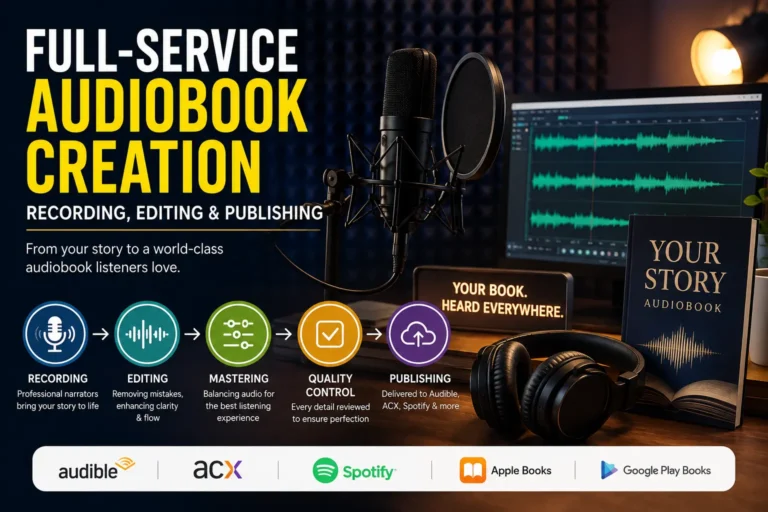
 Audio Books
 Book Illustrations
 Author Website
 Amazon Page Optimization
 Book Marketing
 Fiction Writing
 Non-Fiction
 Autobiography
 Memoir
 Novel Writing
 Children's Book
Honestly, I had no idea what I was doing when I published my first book on KDP. I thought writing the actual book was the hard part. Everything after that, uploading, pricing, filling out the description, felt like formalities. I rushed through all of it. Categories especially. I remember clicking through that section in maybe ninety seconds, picking two options that sounded vaguely related to my topic, and moving on like I had just checked something important off a list.
Three weeks later I had single digit sales and a growing suspicion that something was fundamentally broken. A friend who had been self publishing for a few years looked at my listing and immediately asked which amazon kdp categories I had chosen. I pulled up my book and we both stared at the screen. I had put a personal development book about building daily habits under categories that were more suited to corporate management textbooks. It made no sense. I genuinely do not know what I was thinking in that moment.
I fixed the categories that same evening. Nine days later my book had a number one bestseller badge. Same book, same cover, same price, same description. Just different placement. That experience basically rewired how I think about publishing.
Nobody Tells You How Much Categories Actually Matter
Here is what I wish someone had sat me down and explained before I ever hit publish. Amazon is not operating like a regular bookstore where someone walks in, browses a shelf, and stumbles onto your book. It is running a constant recommendation engine underneath everything. Every time a reader opens the Kindle Store and starts browsing a genre, Amazon is making real time decisions about which books to surface and in what order. Those decisions are heavily influenced by how well a book is ranking within its specific subcategory.
The bestseller badge that you see on certain listings is not decoration. It is a functional signal that tells Amazon’s algorithm to push that book into more places. Recommendation emails, sponsored placements, “customers also bought” carousels, curated genre lists, all of that becomes more accessible once a book earns that tag. And here is the wild part. You do not need to be a famous author or spend a fortune on advertising to get there. You just need to be in the right subcategory where your daily sales, even modest ones, are enough to put you near the top.
That is entirely what choosing the right amazon kdp categories is about. Not prestige. Not vanity. Pure discoverability.
The bestseller badge is not decoration. It is a functional signal that tells Amazon’s algorithm to push your book into more places including recommendation emails, sponsored placements, and curated genre lists. You do not need a massive audience to earn it. You just need to be in the right subcategory where even modest daily sales put you near the top.
The Thing KDP’s Dashboard Deliberately Leaves Out
So you go through the publishing setup and Amazon gives you two category slots. The dropdown menus are clunky, the options feel limited, and sometimes the subcategory you actually want is just not there. Most people shrug and pick the closest thing available.
What almost nobody tells new authors is that Amazon has hundreds of browse node categories that do not appear in the KDP dashboard at all. The only way to get your book listed in these categories is to email KDP support after your book is live and ask them directly. And you are allowed to have up to ten categories on a single book. Not two. Ten.
I remember the first time I found this out. I was in an author Facebook group and someone casually mentioned emailing support to add categories and I genuinely thought they were making it up. They were not. I tested it that same week, sent a polite email with my ASIN and a list of category paths I wanted added, and within 48 hours my book was showing up in subcategories I had never been able to select from the dashboard.
To find these hidden categories, you have to do a bit of detective work inside Amazon itself. Browse the Kindle Store in your genre. Open the top selling books that are similar to yours. Scroll all the way down to the product details section on each listing. You will see their full category breakdown there, sometimes five or six deep. Screenshot everything. That is your research gold.
How I Actually Research Categories Now Before Every Launch
I block out a proper chunk of time for this now, usually two to three hours, and I treat it like real work because it is. The first time I described this to another author they looked at me like I had lost my mind. Two hours on categories? But once they tried it and saw what happened to their next launch, they sent me a very enthusiastic message.
Look at Who Is Already Winning
Start with competitor research. Search for books in your genre on Amazon and pull up the top ten results. Do not just glance at the covers. Click into each listing and scroll down to the product details. Write down every single category listed for each book. After you have done this for ten books you will start seeing patterns, certain subcategories that keep coming up again and again. Those are the ones worth your attention.
Figure Out How Hard Each Category Is to Crack
For every subcategory on your list, find the current number one bestseller and check their overall Amazon Best Sellers Rank. That ABSR number tells you roughly how many copies per day are needed to hold that top position. Lower number means more sales required. A book sitting at ABSR 500 is selling significantly more copies daily than a book at ABSR 20,000. For a new release without a huge built in audience, you want subcategories where the top book has an ABSR somewhere between 5,000 and 50,000. Competitive enough to be worth something, reachable enough to actually get there.
Be Honest About Where Your Book Fits
This is the step where people fool themselves. They see a category with lots of traffic and try to justify placing their book there even if the fit is loose. It almost never works. Readers browsing a specific subcategory have a very particular thing in mind. If your book does not match that expectation, even if they find it, they will not buy it. And irrelevant clicks with no purchases actually hurt your conversion rate, which hurts your ranking. Be ruthlessly honest about which categories genuinely describe what you wrote.
Fiction and Nonfiction Need Completely Different Thinking
With fiction, readers are chasing a feeling. They want a specific vibe, a particular kind of story, a set of tropes they already know they love. The genre categories on Amazon reflect this. Romance alone has splintered into dozens of subcategories. A book about a burned out city lawyer who moves to a small mountain town and falls for the local rancher belongs under Contemporary Romance Small Town and Rural, not under the enormous main Romance category where it will vanish inside a week.
With nonfiction it is different again. Nonfiction readers are usually trying to solve something. They are not browsing Health in general because they feel like it. They are searching for something specific to a problem they are living with right now. A book about recovering from a difficult divorce, a book about managing money on a single income, a book about raising a strong willed toddler, each of those belongs in a subcategory that speaks directly to that experience. The more precisely your category mirrors your reader’s actual situation, the better your chances of showing up when they need you most.
One more thing worth knowing. Nonfiction books often qualify for categories across totally different sections of the store. A book about financial literacy for young adults could sit under Personal Finance, under Parenting Teenagers, and under Education and Reference. If your content genuinely spans those areas, you should be present in all of them.
The Broad Category Trap That Gets So Many Authors
I fell into this one myself and I still see it constantly in author communities. The reasoning goes like this. A big popular category has more readers browsing it, more traffic flowing through, so more potential buyers will come across my book. It feels logical. It is also basically wrong.
When a category has 60,000 books in it, a new release without immediate traction sinks like a stone. It gets pushed back by the algorithm within days. Without a top ranking in that category, you receive no algorithmic support at all. No recommendations, no featured placements, nothing. The broad category feels like a bigger opportunity but it is actually just a noisier place to be invisible.
The right amazon kdp categories for most authors, especially anyone who is still building their audience, are specific enough that modest but consistent daily sales can push you into the top rankings. Even the top twenty makes a meaningful difference. That is the position where Amazon starts treating your book as something worth promoting.
You Can Absolutely Change Your Categories After Publishing
A lot of authors do not realize this and keep themselves stuck in poorly performing categories way longer than necessary. Both of your primary categories can be updated directly from your KDP bookshelf at any time. Just go into your book’s details, edit the categories, save the changes, and within a day or two the update is live on your listing.
For the additional categories that you had KDP support add, those can be swapped out the same way, by emailing support and making a new request. Maybe a subcategory got significantly more competitive since your launch. Maybe you published a follow up book and want to position things differently. Maybe you just found a better fitting subcategory through your research and want to test it. All of that is completely fine to do.
I have gone back to books I published two or three years ago, moved them into better subcategories, and watched their visibility pick back up noticeably. It is one of the lower effort, higher reward things you can do for an older title that has gone quiet.
Tools Worth Knowing About
My honest starting point is always manual research directly on Amazon because nothing replaces actually understanding the landscape your book is entering. But a couple of tools have genuinely saved me time over the years.
Publisher Rocket is the one I recommend most often to authors who ask. It lets you search categories, see exactly where the current top books are ranking, and get estimates on how many daily sales the number one spot requires. It costs money upfront but the authors I know who use it consistently say it paid for itself within the first launch.
KDSpy is a browser extension that layers sales and category data directly onto Amazon product pages as you browse. It is lighter than Publisher Rocket and useful for quick checks when you are doing research on the fly.
That said, if you are not ready to spend money on tools right now, you can still do thorough research just by spending quality time inside the Kindle Store. Every piece of information you need is sitting right there on public product pages. You just have to know what you are looking for.
A Few Things I Really Wish I Had Known Earlier
After doing this across a lot of books now, some things stand out that I had to learn through frustrating trial and error rather than anyone telling me upfront.
Certain categories have eligibility requirements that are not obvious. Some subcategories in health, religion, or children’s books require specific metadata attributes to be set on your listing before Amazon will approve your placement there. If a support agent declines your category request without much explanation, just ask them what your book would need to qualify. There is usually a straightforward fix.
Get your categories sorted well before your launch day. If you are planning a push, your categories should be confirmed and fully live at least a week ahead of time. Amazon needs to properly index your listing before the traffic starts coming. Launching into categories that are still being processed means losing some of the early ranking momentum that matters most.
Check on your books periodically even after they are selling well. Amazon quietly moves books between categories based on its own algorithm, with zero notification to the author. I have opened a listing months after launch and found my book sitting in a completely unrelated category. No email, no alert, nothing. It just happened. A quick check every few months across all your titles keeps you from losing ground without realizing it.
Treating your amazon kdp categories as a living part of your book’s presence rather than a one time setup task is honestly one of the bigger mindset shifts that separates authors who build momentum from those who wonder why nothing is working. I figured it out eventually. Hopefully reading this means you figure it out a lot sooner than I did.