Book Writing
 Book Cover Design
 Book Editing
 Book Formatting
 Book Publishing
 Book Video Trailer
 Book Printing
 Audio Books
 Book Illustrations
 Author Website
 Amazon Page Optimization
 Book Marketing
 Fiction Writing
 Non-Fiction
 Autobiography
 Memoir
 Novel Writing
 Children's Book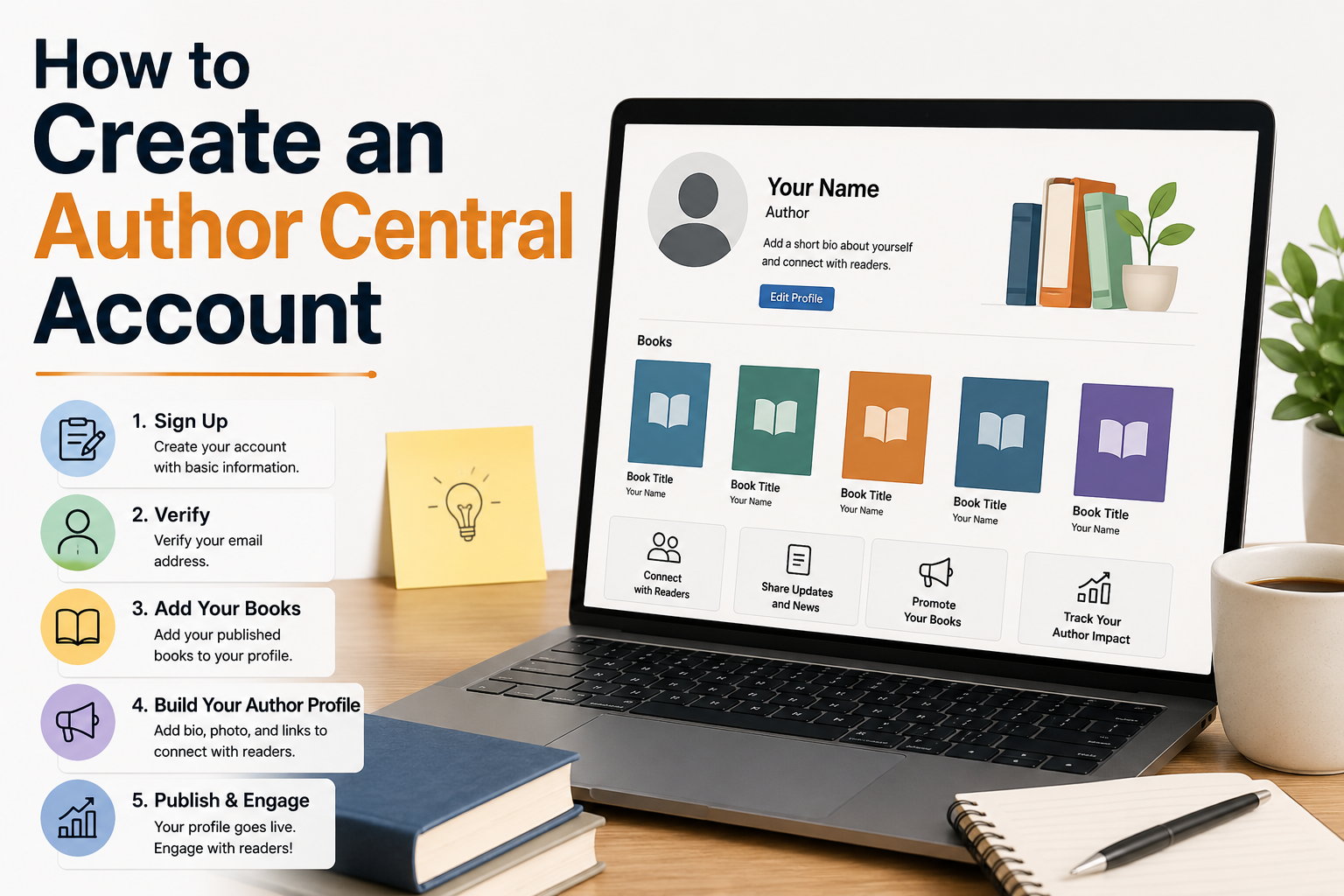
When I published my first book on Amazon, I honestly thought the hardest part was behind me. The writing, the editing, the cover design, all of it had taken so much out of me that once the book went live I just sat back and waited. Nobody told me about setting up an Amazon Author Central Account, and I had no idea I was leaving one of the most important pieces completely untouched. I found out about it accidentally through a comment someone left in a Facebook group for indie authors. I remember feeling a little embarrassed that I had books sitting on Amazon for weeks without a proper author page. If you are in that same spot right now, do not worry about it. You are about to fix it and it takes less time than you think.
So What Actually Is Author Central
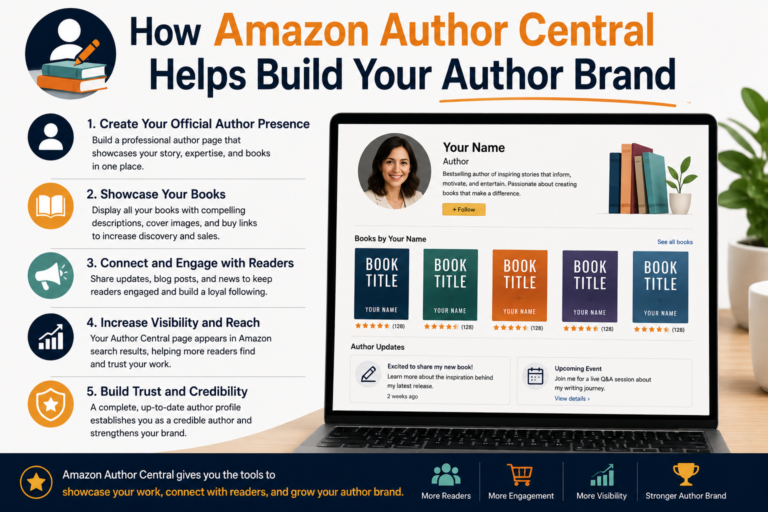
I know the name sounds a bit corporate but it is actually a pretty simple thing. Amazon Author Central is a free profile page that Amazon gives to every author who has a book listed on their platform. When someone clicks your name on any of your book listings, instead of landing on a generic search results page, they land on your actual author page with your photo, your biography, your full list of books, and anything else you choose to add.
Before I set mine up, clicking my name just pulled up a search page with my books scattered among results for other authors with similar names. It looked unprofessional and honestly a little confusing for readers. After setting up the page, clicking my name took people somewhere that actually represented me as an author. That difference matters more than people realize.
There is also a practical side to it beyond just appearances. Author Central gives you access to sales data, a combined view of all your customer reviews, and the ability to edit certain parts of your book listings that you simply cannot touch from inside the regular KDP dashboard. These are tools worth having.
Creating Your Amazon Author Central Account
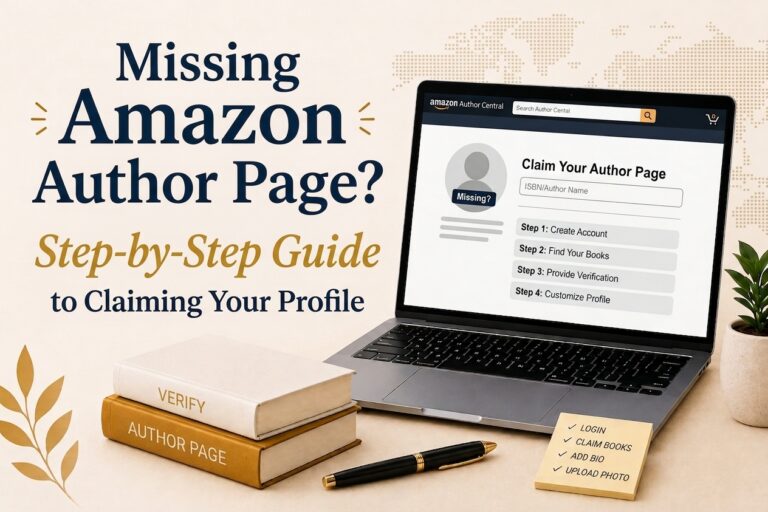
Go to authorcentral.amazon.com and click the button that says Join for Free. You do not need to create a new account for this. Just sign in with the same Amazon login you use for KDP. This part is important because Amazon connects your books to your author profile through that account, so if you sign in with a different email you will run into problems trying to claim your titles.
Once you are signed in, Amazon asks you to search for one of your books. Type in your title or your name and find it in the results. Click to claim it. That is how the system knows you are the author and not just a random person trying to set up a page. After you claim a book, Amazon sends a confirmation email to verify your identity. It usually shows up within a few minutes. Click the link in the email and you are officially in. Your Amazon Author Central Account is live and you can start building from there.
Writing a Biography That People Actually Want to Read
This is the part I got wrong the first time. I wrote something like two sentences about myself, something along the lines of being a writer who enjoys storytelling, and I left it at that. It was the kind of biography that tells a reader absolutely nothing and makes no impression whatsoever.
A good author biography does not need to be long but it does need to feel like a real person wrote it. Write in first person. Talk about where you are from, what made you start writing, what you care about, and maybe one or two things that are a little unexpected. The goal is not to impress people with credentials. The goal is to make someone who just finished your book feel like they know you a little better and want to come back for more.
Somewhere between 150 and 400 words is a good target. Enough to give readers something real without going on so long that nobody finishes it. Just write the way you would talk about yourself to someone you just met at an event. Genuine and relaxed, not stiff and formal.
Choosing the Right Photo
You do not need a professional photographer for this but you do need a decent photo. Clear lighting, your face actually visible, and a background that is not cluttered or distracting. I used a photo from an outdoor gathering that a friend took on their phone and it worked perfectly fine. What matters is that the image looks like a real person and not like something pulled from a stock photo site.
Amazon crops the image into a square on your profile so keep that in mind when you are choosing which photo to upload. Anything less than 300 by 300 pixels will look blurry so try to use something larger than that. Avoid sunglasses, group shots, or anything where you are so small in the frame that readers cannot really make out your face.
It sounds like a small thing but your photo is often the very first visual impression someone gets of you as a human being behind the books. It is worth spending a few minutes picking a good one.
Making Sure All Your Books Are Linked
After the initial setup go into the Books tab inside your Amazon Author Central Account and check that everything you have published is showing up correctly. Some books link automatically once your account is verified. Others you have to search for and add manually. Go through the list and make sure nothing is missing.
If you write under a pen name things get a little more complicated. Amazon treats each pen name as a completely separate author identity, which means each one needs its own Author Central account and its own profile page. It is a bit of extra work but it keeps things clean and organized for readers who follow a specific pen name.
One thing that trips a lot of authors up is that Author Central is not global. The account you set up at authorcentral.amazon.com covers the US marketplace only. If you sell books in the UK, Germany, France, Japan, or other Amazon markets, each one has its own Author Central portal and your profile does not carry over between them automatically. If international sales matter to you, it is worth going through the setup process on each marketplace separately.
Adding Editorial Reviews to Your Book Pages
Most authors never use this feature and I think it is genuinely one of the most underused tools in the whole platform. Inside your Amazon Author Central Account you can add editorial reviews directly to your book listings. These are not the same as customer reviews. These are quotes from bloggers, publications, other authors, or media coverage that appear in their own dedicated section on your book page.
If you have received any kind of positive coverage since publishing, a review from a book blog, a quote from another author, even a mention in a local newspaper, go add it. These quotes add a layer of credibility that customer reviews alone do not provide. Someone who is on the fence about buying your book and sees a thoughtful review from a credible source is much more likely to go ahead and purchase.
To add one, go to the Books section, select the title you want to update, and find the Editorial Reviews option. Add the quote and the source. Keep it honest and relevant. This is not a place to paste in vague compliments from friends.
The Sales and Reviews Data
Under the Sales Info tab you will find graphs showing estimated sales figures and ranking data for your books over time. I want to be upfront that this data is not perfectly precise but it is useful for spotting trends. If you run a promotion or do a price drop and want to see whether it actually did anything, the Sales Info tab gives you a visual way to look at that.
The Customer Reviews tab pulls together every review across all your books into a single feed. Once you have more than a few titles out there, having all your reviews in one place instead of checking each listing individually saves a real amount of time. You cannot respond to reviews from here but you can read and keep track of what readers are saying across your whole catalog in one sitting.
Connecting Your Blog to Your Author Page
If you have a blog or a website that produces an RSS feed, you can connect it to your author page through Author Central. When you do, your most recent posts show up on your page automatically without you having to update anything manually. This keeps the page looking active and current which matters more than you might think.
A reader who lands on your author page and sees recent activity is far more likely to hit the Follow button than someone who lands on a page that looks like it was set up years ago and never touched again.
Why Your Follow Count Matters More Than Most Authors Realize
Every reader who follows your Amazon Author Central Account gets an email from Amazon when you publish a new book. That is free, direct notification to people who have already shown interest in your work. Building that follower count over time is one of the most valuable things a self-published author can do for their long term career and most people pay almost no attention to it.
The easiest way to get followers is to ask for them inside your book. Right after the last page, before the about the author section, add a short note telling readers they can follow you on Amazon to hear about new releases. Readers who just finished a book they enjoyed are in exactly the right mood to click that button. A surprising number of them will.
Keep Coming Back to Update It
Setting up your Amazon Author Central Account is not a one time task. Go back every few months and check that everything is current. Update your biography when something meaningful changes. Add new editorial reviews as they come in. Make sure new books get claimed and linked promptly after they publish.
Your author page is sitting there representing you to every single reader who clicks your name, every hour of every day. It costs nothing to maintain and the impact it has on how professional and trustworthy you appear to potential readers is completely out of proportion to the time it takes. Set it up properly, keep it current, and let it do its job.