Book Writing
 Book Cover Design
 Book Editing
 Book Formatting
 Book Publishing
 Book Video Trailer
 Book Printing
 Audio Books
 Book Illustrations
 Author Website
 Amazon Page Optimization
 Book Marketing
 Fiction Writing
 Non-Fiction
 Autobiography
 Memoir
 Novel Writing
 Children's Book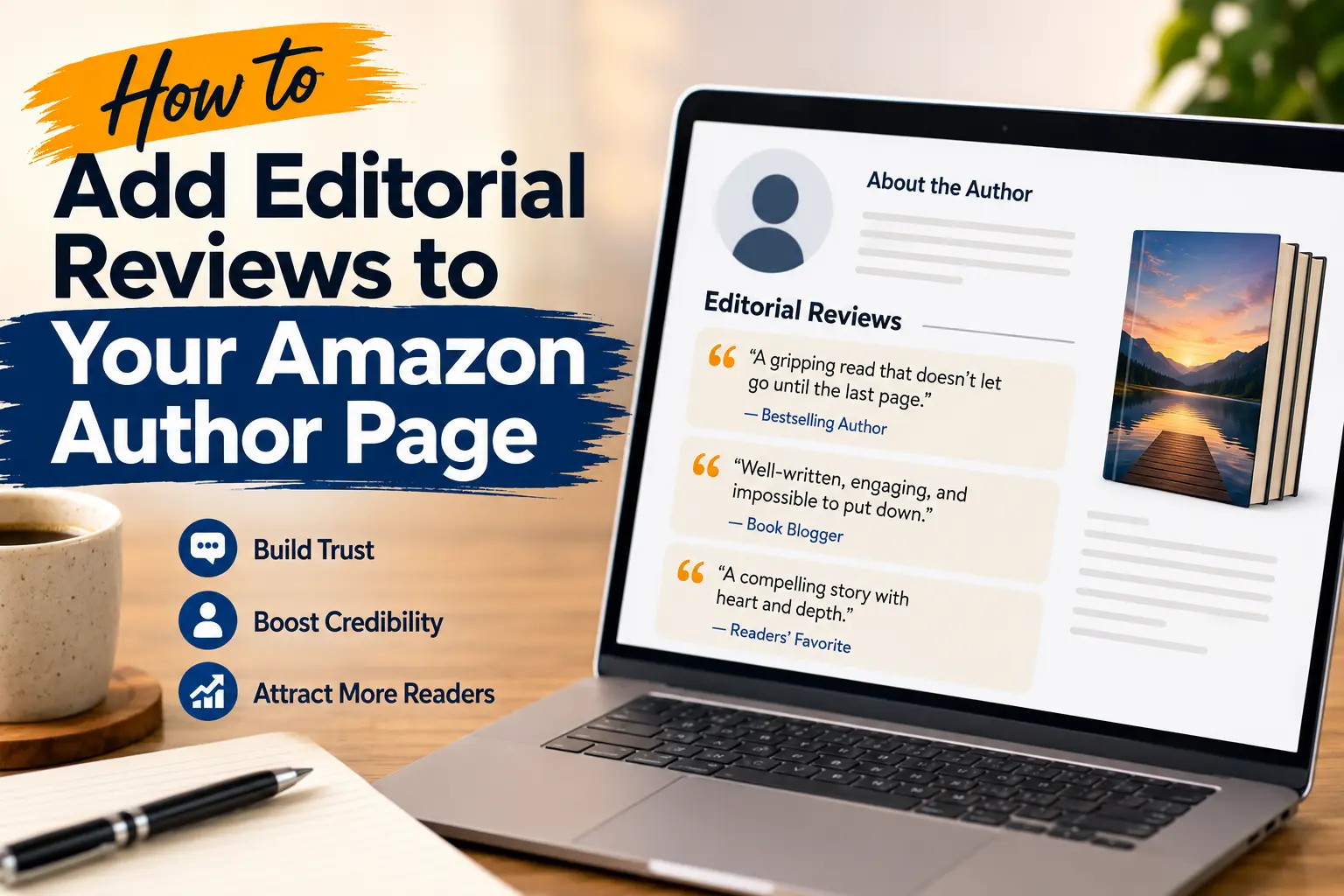
So I published my first book back in 2022 and honestly had no clue my amazon author page even existed as something I could edit. I thought it was just this static thing Amazon generated automatically and that was it. Turns out I was wrong, and once I figured out you can actually add editorial reviews to it, things started changing for me.
Let me just tell you how this whole thing went for me, mistakes included, because I think that’s more useful than some perfect step by step guide.
Why I Even Bothered With This
Okay so here’s the thing. I used to think readers just look at the book cover, read the blurb, maybe check a few star ratings, and buy. That’s not really how it works though. A bunch of people actually click through to your author page first, especially if they’re deciding between you and some other writer in the same genre.
My author page had nothing on it for almost a year. Just my bio, which honestly wasn’t even that good, and a list of my two books. No social proof, nothing. Once I started adding editorial reviews, I noticed my click through rate (I was tracking this loosely through KDP) seemed to go up a little. Can’t prove it was directly because of the reviews, but the timing lined up too well to ignore.
What Actually Counts as an Editorial Review
This confused me for a while honestly. I kept thinking any nice comment someone left counts. It doesn’t, not really. Editorial reviews are different from the regular star ratings and comments customers leave under your book listing.
What you want is stuff like a quote from another author, especially if they have some name recognition, something a book blogger or reviewer wrote about your work, a mention in an actual publication, even a small one, or trade review sites, though those are honestly hard to get into as an indie author.
I had a friend who’s a moderately known cozy mystery writer give me a one line quote for my second book and that alone made my page look ten times more legit. Sometimes one good quote does more than ten average ones.
The Actual Process (Because This Part Is Annoying)
Nobody tells you this clearly but adding editorial reviews isn’t something you do from your regular Amazon account. You need Author Central. If you’ve never logged into it before, go set that up first, it’s free and doesn’t take long, maybe ten minutes.
Gathering Your Quotes First
Before I even touched Author Central I just made a Google Doc with every nice thing anyone had said about my book. Some from emails, one from a Goodreads review (I asked the person first before using it publicly, which I think is just the polite thing to do), and a couple from a small book blog that had reviewed me.
Don’t skip this step and try to do it live on Amazon’s site. I tried that once and ended up just copy pasting badly and losing track of which quote came from where.
Where The Editorial Reviews Section Actually Is
Okay so once you’re in Author Central, click on Books, then pick the specific title you want to update. There’s a tab or section, depending on which version of the interface you’re seeing because Amazon seems to change this layout every so often, where you’ll find Editorial Reviews sitting near the book description.
I genuinely missed it the first time. I was scrolling and thought maybe my account didn’t have that feature. Turns out I just wasn’t looking carefully enough, it’s a little buried under the main description box.
Pasting and Formatting
This part is simple but people mess it up anyway. Paste your quote, then add who said it right after, usually in italics or with a clean line break and the name.
Something like: “A gripping read that doesn’t let go until the last page.” followed by the reviewer’s name and where it’s from.
Keep these short. I had one quote that was almost three sentences long and it just looked clunky next to the others. Trimmed it down to one punchy line and it read way better.
Hit Save and Then Just Wait
This is the part that tested my patience honestly. After you submit changes to your amazon author page, Amazon doesn’t update it instantly. Sometimes I’ve seen it show up in under an hour. Other times, and I mean this happened with my last book, it took almost three full days. There’s no way to speed it up that I’ve found, you just have to wait it out.
Stuff I Learned The Hard Way
Don’t Cram Everything In
My first attempt, I put like seven different quotes on one book page. It looked like I was trying too hard, honestly kind of desperate if I’m being real. Now I stick to three, maybe four max. Pick your strongest ones and let them breathe a little.
Keep Collecting Even When You’re Not Actively Updating
I now just keep a running note on my phone. Anytime someone says something nice about my writing publicly, whether it’s a tweet, a podcast mention, whatever, I screenshot it or copy the text. Saves me from scrambling later when I’m setting up a new book’s amazon author page.
Update Your Bio At The Same Time
While I’m in there messing with editorial reviews I usually just go ahead and tweak my bio too. It feels weird having a stale bio sitting next to fresh new reviews. They should kind of match in tone and feel current together.
Just Ask People For Permission
This felt awkward the first couple times but it’s genuinely fine. I messaged a blogger who reviewed my book and just asked, hey would it be okay if I used a short line from your review on my Amazon page. She said yes immediately and even seemed happy about it. Most reviewers actually like the exposure, especially smaller ones.
Mistakes I See Other Authors Make Too
Forgetting Other Amazon Regions
If your book sells in the UK or other markets, you have separate Author Central accounts for each region. I genuinely forgot about my UK page for almost a year. When I finally checked it, it had nothing, no bio update, no editorial reviews, while my US page looked completely different. Kind of embarrassing honestly.
Using Generic Quotes
“Great book, loved it” doesn’t really do anything for your amazon author page. It’s too vague. The better quotes mention something specific, like your pacing, or a particular character, or how the ending hit them. Specificity just feels more believable to someone scrolling past.
Treating It As A One Time Task
I used to think once you set up your amazon author page, you’re done forever. Not true. I try to revisit mine every couple months now, see if there’s a new mention worth adding, maybe swap out an older quote for something stronger. It’s a small habit but it keeps the page feeling alive instead of frozen in time.
Quick tip before you go: treat your editorial reviews section the same way you’d treat your book cover, something worth revisiting and improving over time, not a one and done task.
Wrapping This Up
Look, I’m not saying editorial reviews are some magic trick that’ll suddenly triple your sales. They won’t. But they do make your amazon author page feel like a real, credible spot instead of just a default Amazon template nobody bothered with.
If you haven’t touched your author page in a while, maybe log in this week and just see what’s sitting there. Even adding one solid quote is better than nothing. I didn’t get mine right on the first try either, took a few rounds of trial and error and honestly some patience with Amazon’s weird update timing. But it’s worth doing, and once it’s set up, it kind of just sits there working quietly for you in the background.