By The Author Central Team · Updated November 2026
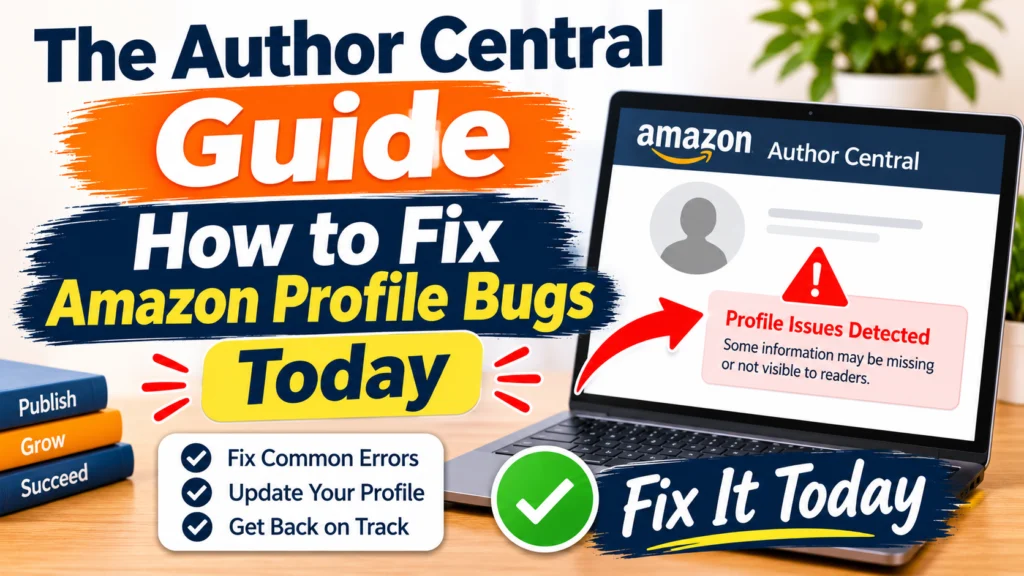
Most Amazon Author Central bugs boil down to five things: a missing book, a split author profile, editions that won’t link, an outdated bio or photo, or a login problem. Usually you can sort them out by claiming the right books, refreshing your profile, and sending Amazon a specific, well-documented support request. If the page still won’t budge, contact Author Central support with your book links and screenshots.
Independent guide. The Author Central isn’t affiliated with or endorsed by Amazon. For anything tied to your account, Amazon’s own support has the final word.
You open your author page and something looks wrong. Maybe your newest book isn’t there. Maybe your bio still talks about a book you published three years ago. Or you find two author pages with your name on them, each holding half your catalog.
Annoying? Yes. Rare? Not at all. It happens to self-published and traditionally published authors alike, and it has a habit of showing up in the middle of a launch week.
The good news is that most of these problems have a boring, fixable cause. Let’s go through them one at a time.
First, Make Sure You’re Looking at the Right Page
Author Central lets you edit your profile on Amazon.com, Amazon.co.uk, Amazon.de, Amazon.fr, Amazon.co.jp, and Amazon.com.br. Other marketplaces, like Amazon.in or Amazon.ca, show author pages too, but you may not be able to manage them the same way.
Why bring this up? Because a lot of “bugs” are really just marketplace mix-ups. You fixed your page on one site and you’re checking another. Before you troubleshoot anything, check which store you’re logged in to.
Publishing through KDP? Go to the Marketing page, pick a supported marketplace, and choose Manage author page. It takes you straight into Author Central.
Bug 1: Why Is My Book Not Showing on Amazon Author Central?
This one comes up more than anything else, and the fix is usually quick.
- Open Author Central and head to the Books tab.
- Search for the title or ISBN.
- Find your book, then confirm you’re the author.
- Wait a day or two and check your public page again.
A quick warning. Don’t claim a book just because the author has a similar name to yours. It confuses readers, and it can cause trouble with your account later.
Still nothing? Look at the book’s own listing. If the contributor name there is spelled even slightly differently from your author name, that’s very likely the culprit. One missing letter or an extra middle initial is enough.
Bug 2: Why Does Amazon Create Multiple Author Profiles for One Name?
Amazon sometimes splits one author into two, say “J. Smith” and “Jane Smith.” Readers land on one page and see only part of your work.
Pick the page you want to keep, usually the one with more books and followers, and claim every title under that name. Then check that your name is written the same way on every edition, paperback, Kindle, hardcover, and audiobook included. If the second page hangs around anyway, write to Author Central support and ask them to merge the two. Send both page links so they don’t have to hunt.
One thing I’d avoid: deleting your profile and starting over. It feels logical, but support can merge pages much more cleanly than you can rebuild one from scratch.
Bug 3: How Do I Link Paperback and Kindle Editions on Amazon?
You’ve got a paperback and a Kindle version, but Amazon treats them like strangers. Maybe the reviews are stuck on one format, or the Kindle book sits on its own page. Authors also run into wrong bios, old photos, and similar-name mix-ups around this same problem.
Check that the title and subtitle match word for word across every format. Same for your author name. If you’ve done that and the editions still haven’t connected after a few days, email support with the ASIN or ISBN for each one.
Give it some time, though. Part of the linking happens automatically, and it can lag behind.
Bug 4: Why Are My Author Profile Updates Not Reflecting Online?
It sounds small, but it isn’t. A dated headshot or a bio that skips your latest book makes your page feel abandoned, and readers notice fast.
Aim for a bio of about 150 to 200 words, written in the third person, with your newest book near the top. Use a recent, clear photo. Add your website and social links. And update the page after each launch, not once a year when you happen to remember.
If you’ve made changes and nothing shows up, check back the next day before you assume something broke.
Bug 5: What Should I Do If I Am Locked Out of Amazon Author Central?
Lockouts happen. Some authors have reported being shut out of their accounts for no obvious reason, which is as frustrating as it sounds.
Start simple. Sign in with the same Amazon account you use for KDP. Try a private browser window and clear your cache. Make sure you’re on the right regional site. If none of that works, use the Help section inside Author Central and write to support.
Tired of fighting with KDP and Author Central glitches?
Let our team handle the heavy lifting. We’ll review your author profile, spot what’s broken or missing, and tell you exactly what to fix.
Why This Matters Beyond Looks
Think of your author page as more than a business card. Amazon’s current advertising guidance says a book has to be listed in Author Central before you can run Sponsored Products ads for it. So a missing book isn’t only a cosmetic problem. It can quietly block your ads, and you might not realize it until you’ve already planned your budget. Fix the profile first, then spend on promotion.
The Author Central Contact: Who Handles What?
Lots of people type “the author central contact” into Google without being sure who to reach. This should clear it up:
| Your problem | Who to contact |
| Missing books, merged profiles, login access | Amazon’s Author Central support (Help section inside your account) |
| KDP uploads, royalties, account status | KDP support |
| Profile setup, book marketing, page optimization, publishing help | The Author Central team (independent service) |
If you’d like a second opinion before you write to Amazon, our team can look over your profile and point out what needs fixing. Contact The Author Central
How to Write a Support Request That Gets an Answer
Vague emails get vague replies. A message like “my page is broken” will probably go in circles. Give support something to work with: your author name and marketplace, direct links to the affected book and author pages, the ASIN or ISBN, and a screenshot. Then finish with one clear sentence about what you want, like “Please merge these two profiles.”
A Short Prevention Checklist
- Use the exact same author name on every book.
- Look at your author page once a month.
- Refresh your bio after every launch.
- Claim new books the week they go live.
- Keep a simple spreadsheet of your ASINs and ISBNs.
📋 Amazon Support Template
Subject: Urgent: Request to Merge Duplicate Author Profiles / Link Missing Book
Hello Author Central Support Team,
I am writing to request assistance with my author profile layout. Currently, my catalog is experiencing a bug. Please assist with the following action: [State your exact request here, e.g., Please merge my profile links below]
- Author Name: [Your Name]
- Primary Profile Link: [Link to your main page]
- Duplicate Profile Link / Missing Book ASIN: [Link or ASIN code]
I have attached a screenshot of the issue for your reference. Thank you for your prompt help.
Best regards,
[Your Name]