Book Writing
 Book Cover Design
 Book Editing
 Book Formatting
 Book Publishing
 Book Video Trailer
 Book Printing
 Audio Books
 Book Illustrations
 Author Website
 Amazon Page Optimization
 Book Marketing
 Fiction Writing
 Non-Fiction
 Autobiography
 Memoir
 Novel Writing
 Children's Book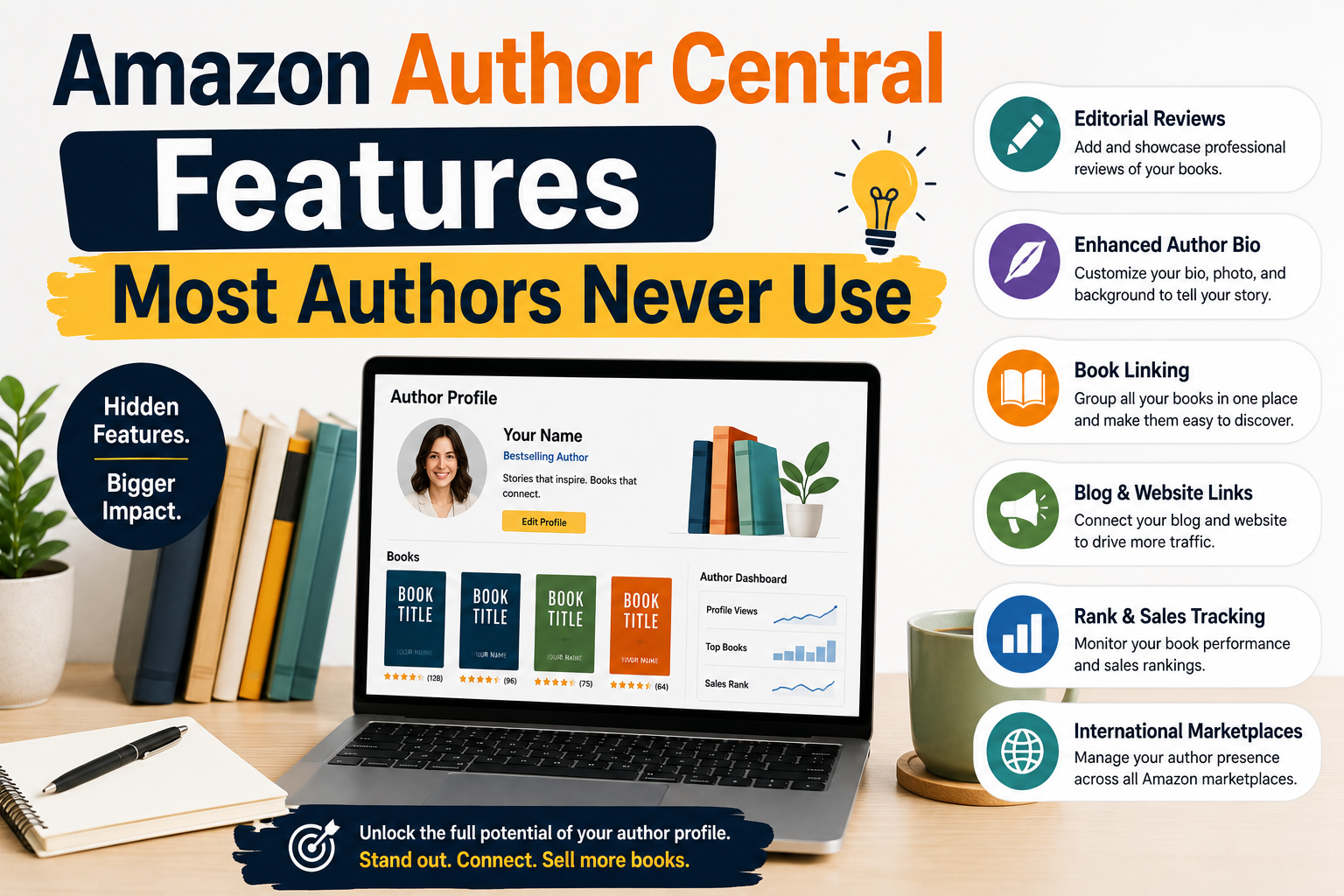
Amazon Author Central is not just a profile page. It’s a surprisingly powerful hub that directly touches your Amazon page optimization, your discoverability, your reader relationships, and your book’s authority on the world’s largest online retailer. The features buried inside it can make or break how your listings perform yet the majority of authors never go back after the initial setup.
This post breaks down the most underused Author Central features, explains what they actually do for your books, and shows you how to use them with the same intentionality that professional Amazon listing optimization services bring to their clients.
Your Author Page Is a Landing Page Treat It Like One
Most authors write their bio in one sitting and never touch it again. That’s a missed opportunity. Your Author Central biography is indexed by Amazon’s internal search and influences how readers perceive your credibility before they click “Buy.” Think of it as the copy on a landing page that has to convert a skeptical browser into a loyal reader.
Strong Amazon product page optimization doesn’t just happen at the listing level it starts at the author level. When a reader clicks your name on any book listing, they land on your Author Page. This is your chance to cross-promote your entire catalog, establish your expertise, and keep readers in your ecosystem instead of bouncing away.
Write your Author Central bio in the third person, weave in your genre keywords naturally, and update it at least once per season. A stale bio signals a stale author to Amazon’s algorithm.
Use the “Edit Biography” section to include relevant keywords your readers actually search for. If you write thriller novels set in Scandinavia, phrases like “Nordic crime fiction” or “Scandinavian mystery” woven naturally into your bio can help Amazon surface your Author Page when readers explore related content.
The Editorial Reviews Section Most Authors Leave Blank
Here’s a feature that professional Amazon listing optimization services consistently prioritize and one that self-published authors almost universally ignore: the Editorial Reviews section on your book’s detail page.
Editorial Reviews appear prominently on your Amazon detail page optimization area, sitting above customer reviews and carrying more visual weight than most authors realize. Unlike customer reviews, which Amazon controls entirely, Editorial Reviews are content you can add and manage directly through Author Central.
What can you put there? Plenty:
- Blurbs from other authors in your genre or niche
- Praise from bloggers, podcasters, or influencers who’ve reviewed your book
- Excerpts from professional review publications or literary journals
- Academic or professional endorsements if your book is non-fiction
- Testimonials from advance readers or beta readers with relevant credentials
This is free real estate on one of the most competitive retail platforms in the world. Every line of compelling social proof you place in the Editorial Reviews section is a direct contribution to your Amazon page optimization strategy and most of your competition hasn’t even found the button.
Author Central’s “Books” Tab Claim Everything
Did you know that Amazon sometimes creates duplicate or incorrectly attributed listings for your books? If you’ve published under a pen name, have contributed chapters to anthologies, or have books that have been republished under different ISBNs, there’s a real chance some of those titles aren’t connected to your Author Central account at all.
The Books tab in Author Central lets you manually add and claim books that should appear under your author name. This matters enormously for Amazon product page optimization because an unclaimed book doesn’t link back to your Author Page meaning every reader who clicks on that orphaned listing has no way to discover the rest of your catalog.
Go through every edition of every title you’ve ever published. Paperback, hardcover, Kindle, audiobook each format can sometimes sit as a separate listing. Claim them all. Connect them to your profile. This is one of the simplest and most neglected wins in author platform management.
A+ Content The Secret Weapon Hiding in Author Central
Amazon’s A+ Content also known as Enhanced Brand Content was once reserved exclusively for brand-registered sellers. Authors with qualifying accounts can now access a version of this through Author Central, and it is, without question, one of the most underused tools in the author’s arsenal.
A+ Content allows you to add rich, visual content directly to your Amazon detail page optimization area below the fold but above the customer reviews. This can include formatted comparison tables, image-and-text modules, expanded descriptions with headers and bullet points, and even lifestyle imagery relevant to your book’s theme or setting.
For authors who work with Amazon listing optimization services, this is one of the first places professionals look to differentiate a listing. Why? Because standard Amazon descriptions are limited in formatting. A+ Content breaks those constraints. You can present your book’s value proposition the way a well-designed book jacket would visually, emotionally, and persuasively.
What To Include
Consider adding a brief “About the Series” module if you write in a series, an author mission statement module, a comparison of your titles by theme or reader type, or an atmospheric image that reflects your book’s world. Even simple well-formatted text in a two-column module outperforms a plain description block.
Sales Data and Rank Tracking Most Authors Don’t Know This Exists
Author Central gives you access to actual sales rank history charts for your books. Not just a snapshot a historical graph that lets you see how your book’s rank has shifted over weeks and months. This is data that, until recently, authors had no direct access to without third-party tools.
Why does this matter for Amazon page optimization? Because sales rank is a direct output of visibility and conversion. If your rank spiked during a particular week, something worked a promotion, a review, a newsletter mention. If it dropped after a price change, that tells you something too.
Sophisticated authors use this data the same way e-commerce brands use analytics: to identify patterns, time promotions, and make evidence-based decisions about their Amazon product page optimization strategy. The chart is built into Author Central and requires no additional subscription or third-party tool.
The Author Page URL Your Permanent Author Hub
Every Author Central profile comes with a permanent, shareable Amazon URL that leads directly to your author page. Most authors don’t know this exists. Fewer still actively use it.
This link is valuable because it puts readers exactly where you want them: browsing your complete catalog, reading your bio, and seeing all the social proof you’ve built up through editorial reviews and endorsements. It’s the author equivalent of a product storefront and like everything in Amazon listing optimization, it benefits from being promoted intentionally.
Add it to your email signature. Include it in your newsletter. Put it in your social media bios. Anywhere you’d normally send readers to a specific book, consider sending them to your Author Page instead especially if you have three or more titles. The catalog view converts curious readers into multi-book buyers far more reliably than sending them to a single listing cold.
Linking Your Blog or RSS Feed
This one genuinely surprises most authors when they discover it: Author Central allows you to connect an RSS feed or blog directly to your Author Page. When you publish new content to your website or blog, it can automatically appear on your Amazon profile giving readers a reason to revisit and keeping your page feeling alive and current.
For authors who blog regularly about their writing process, their genre, or their research, this is a quiet but meaningful way to signal activity and engagement to both readers and Amazon’s algorithm. An active author profile supports Amazon page optimization simply by demonstrating that you’re a working, engaged author rather than someone who published once and disappeared.
Final Thoughts
Amazon Author Central was built to give authors real control over their presence on the platform but that control only works if you actually use it. The authors who treat Author Central as a set-and-forget tool are leaving significant discoverability, social proof, and conversion potential on the table.
The features covered here editorial reviews, A+ Content, book claiming, sales data, the shareable author URL, and RSS integration are the same areas that professional Amazon listing optimization services prioritize when they audit an author’s presence. The difference is that you can implement all of them yourself, for free, starting today.
Amazon detail page optimization and Amazon product page optimization aren’t just for brands with big budgets. They’re strategies rooted in visibility, trust, and clarity and Author Central gives every serious author the tools to execute them. The question is simply whether you’ll go back in and use what’s already waiting for you.