
| Written By | [Jamie White], Publishing Editor |
| Reviewed By | The Author Central Publishing Team |
| Last Updated | September 2026 |
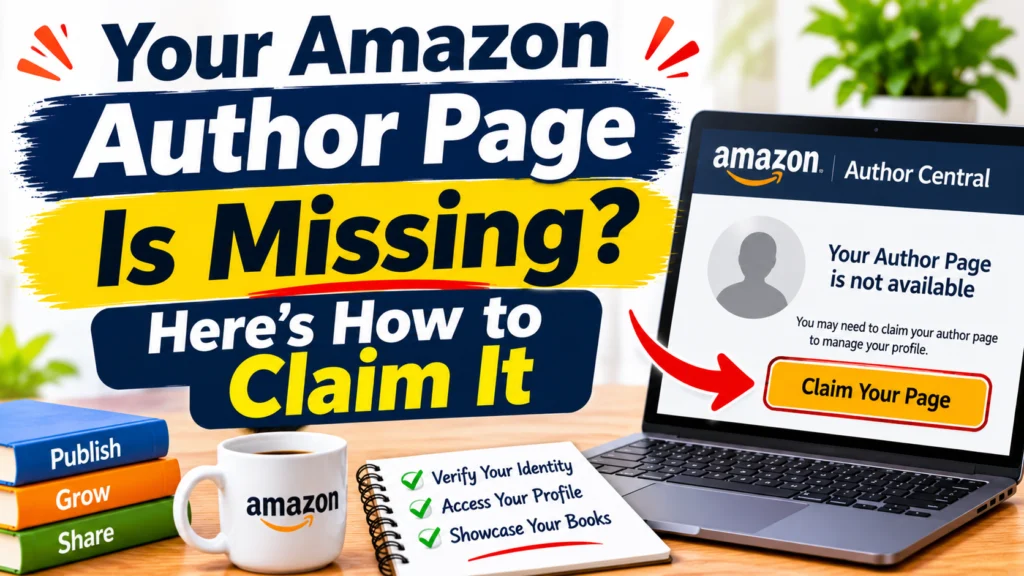
Quick Answer: Amazon doesn’t build an author page for you when your book goes live. You have to log in to Amazon Author Central, find your book by title, ISBN, ASIN, or your name, and claim it yourself. When a page is missing, it’s usually because the book was never claimed, the name on the listing is spelled differently from what you searched, or the book isn’t fully live yet.
Picture this. Your book went live last week. You open Amazon, type your own name into the search bar, and expect to see a proper author page with your photo and a neat row of titles. Instead you get a bare listing with your name sitting there as plain text.
It’s a deflating moment, and it happens to a lot of new authors. An Amazon author page missing after launch almost never means something went wrong with your book. It usually means one setup step got skipped, and nobody mentioned it.
So let’s go through what causes it, how to get your page live, and what to try if it still won’t show.
Author Central Account vs. Author Page: What’s the Difference?
People use these two terms as if they mean the same thing. They don’t, and that mix up is behind a surprising number of support questions.
| Author Central Account | Public Author Page | |
| What it is | Your private dashboard | What readers see on Amazon |
| What you do there | Claim books, edit your bio and photo, check rankings and reviews | Show your books, bio, photo, and Follow button |
| Cost | Free | Free |
| It depends on | Your Amazon login | Books claimed to your profile |
Think of Author Central as the back office and the author page as the shop window. You can have a perfectly working back office and still have an empty window.
KDP is a third place altogether. That’s where you publish and manage your books. You can sign in to both with the same Amazon login, but having a KDP account doesn’t give you an author page. It’s a separate job.
Why Is My Amazon Author Page Missing?
Five things cause most of these cases. Check them in this order, because the first one alone explains more than half.
Your Books Were Never Claimed
This is the big one. Publishing a book doesn’t create an author page. Amazon wants you to claim at least one title inside Author Central first, and the page gets built around that claim. Until you do it, readers see your name on the listing and that’s all.
The Name Doesn’t Match
Say your cover reads “M. J. Rivera” and you search for “Maria Rivera.” Amazon sees two different names. Your book won’t come up, and you’ll assume it’s missing when you just searched the wrong version. Copy the name exactly as it appears on the book.
Only One Edition Got Claimed
Kindle, paperback, hardcover, and audiobook can each be their own listing. Claim the ebook and forget the paperback, and that paperback floats around Amazon with no link back to you.
Pen Names Got Tangled
Write under more than one name? Each pen name gets its own author page. If your books went out under a pen name and you’re hunting for a page under your real name, you won’t find one.
You Edited the Wrong Place
Your bio, photo, and profile link live in Author Central. The author name printed on a book listing doesn’t. That comes from the book’s own details, which you control in KDP if you published there. So if the name is misspelled on the listing, no amount of editing your profile will fix it.
Two smaller things are worth a glance too. A book that went live an hour ago may need a little time before it’s searchable. And author pages are tied to individual Amazon stores, so a page can exist on one and not on another.
How Do I Claim My Amazon Author Page?
Amazon shifts its button labels around now and then, but the process itself has stayed pretty stable.
Sign In or Join
Head to author.amazon.com and log in with your Amazon account. Already on KDP? The same login works. First time here? Pick the option to join. There’s no fee.
Search for Your Book
You need to claim at least one book before your page can exist. Search by title, ISBN, ASIN, or author name. If you’re not sure where to find the ASIN, it’s in the product details on your book’s Amazon page, a little way down.
Select the Right Title
Click your book and confirm you’re the author. Amazon might ask you to accept its terms or verify who you are. Books published through your own KDP account usually clear fast. A book with a different publisher name can take a day or two.
Fill In Your Profile
Once the claim goes through, the page exists. Now give it some life. Upload a clear photo, write a short bio in third person, and add your social links if you like. A bare page beats no page, sure, but readers connect with a face and a few honest lines about who wrote the thing.
How Do I Add My Published Books to Author Central?
One claimed book opens the door. The rest still need to be added by hand.
Open the Books tab, choose the option to add a book, search for each title, and confirm it. That’s the whole routine, and you’ll repeat it for every title and every format.
Some things trip people up here:
- Claim each edition you want on the page, not only the first one you see
- If you contributed to an anthology or wrote with a partner, add those titles too, as long as your name is on the listing
- Don’t claim a book because the author’s name looks close to yours
- Put pen name books on the page that matches that pen name
That third point matters more than it sounds. A wrong claim confuses readers and can cause trouble with your account. Only claim what’s yours.
What If My Amazon Author Page Is Still Not Showing?
You claimed the books, you checked the name, and the page is still a ghost. Don’t panic yet. Go through these three.
Why Can’t I Find My Book in Author Central?
Search by ASIN. It’s the most exact match you have. Then make sure the book is actually live, meaning it has a Buy button on Amazon. A listing still in review won’t turn up. After that, look at the author name on the listing and search that exact spelling. If all three check out, give it a day and try again.
How Do I Fix Wrong Author Details?
It depends on what’s wrong. A bad bio, an old photo, or a wrong profile link gets fixed in the Profile tab of Author Central. A misspelled name on the book itself has to be corrected in your KDP book details, or by your publisher if they handle the listing. Either way, the change needs a bit of time to show.
Why Is My Profile So Slow to Appear?
Because claims and edits aren’t always instant. A KDP book under your own account often goes through quickly. A title tied to another publisher can take 24 to 48 hours. If you made the change today, check tomorrow before you do anything drastic.
Quick Fixes for Common Amazon Author Page Problems
| Problem | Likely Cause | What to Do |
| Two author pages for one person | Name variations across books | Ask Author Central support to merge them |
| Page shows only some books | Unclaimed editions | Add the missing formats in the Books tab |
| Followers miss new releases | New book isn’t linked to the page | Claim the book on the right page |
| Page exists on one store only | Different marketplace | Sign in on the store you’re checking |
| Can’t verify your account | Wrong Amazon email | Work out which login you used for KDP or past orders |
When Should I Contact Amazon Author Central Support?
Try the fixes above first. They sort out most cases. But some problems really do need Amazon’s help, like these:
- Your book is live and still can’t be found after a couple of days
- You’ve got duplicate author pages that need merging
- Your page lists books that belong to someone else
- You can’t sign in or verify your identity
- A claim keeps failing and there’s no clear reason why
Use the Contact Us option inside Author Central, or the Help section in KDP. And be specific. Include your author name, the book title, the ASIN or ISBN, the marketplace, and what you’ve already tried.
Compare these two messages. “My page is broken” tells support nothing. “Book B0XXXXXXXX is live in the US store but won’t appear in Author Central, and I’ve searched by title and ASIN” gives them something to act on.
Final Thoughts
If your Amazon author page is missing, take a breath. Nine times out of ten, the books were never claimed, the name didn’t match, or a fresh listing needed a little more time. Search by ASIN, claim every edition, and double check how your name is spelled. If the page still refuses to show, write to Author Central support with the details above.
And if juggling your profile, your publishing setup, and your launch feels like too much while you’re also trying to write the next book, we’re here for that. The Author Central helps authors with book publishing and author support, from getting titles live to making sure your Amazon presence looks the way it should. Visit theauthorcentral.com and tell us where you’re stuck.