Book Writing
 Book Cover Design
 Book Editing
 Book Formatting
 Book Publishing
 Book Video Trailer
 Book Printing
 Audio Books
 Book Illustrations
 Author Website
 Amazon Page Optimization
 Book Marketing
 Fiction Writing
 Non-Fiction
 Autobiography
 Memoir
 Novel Writing
 Children's Book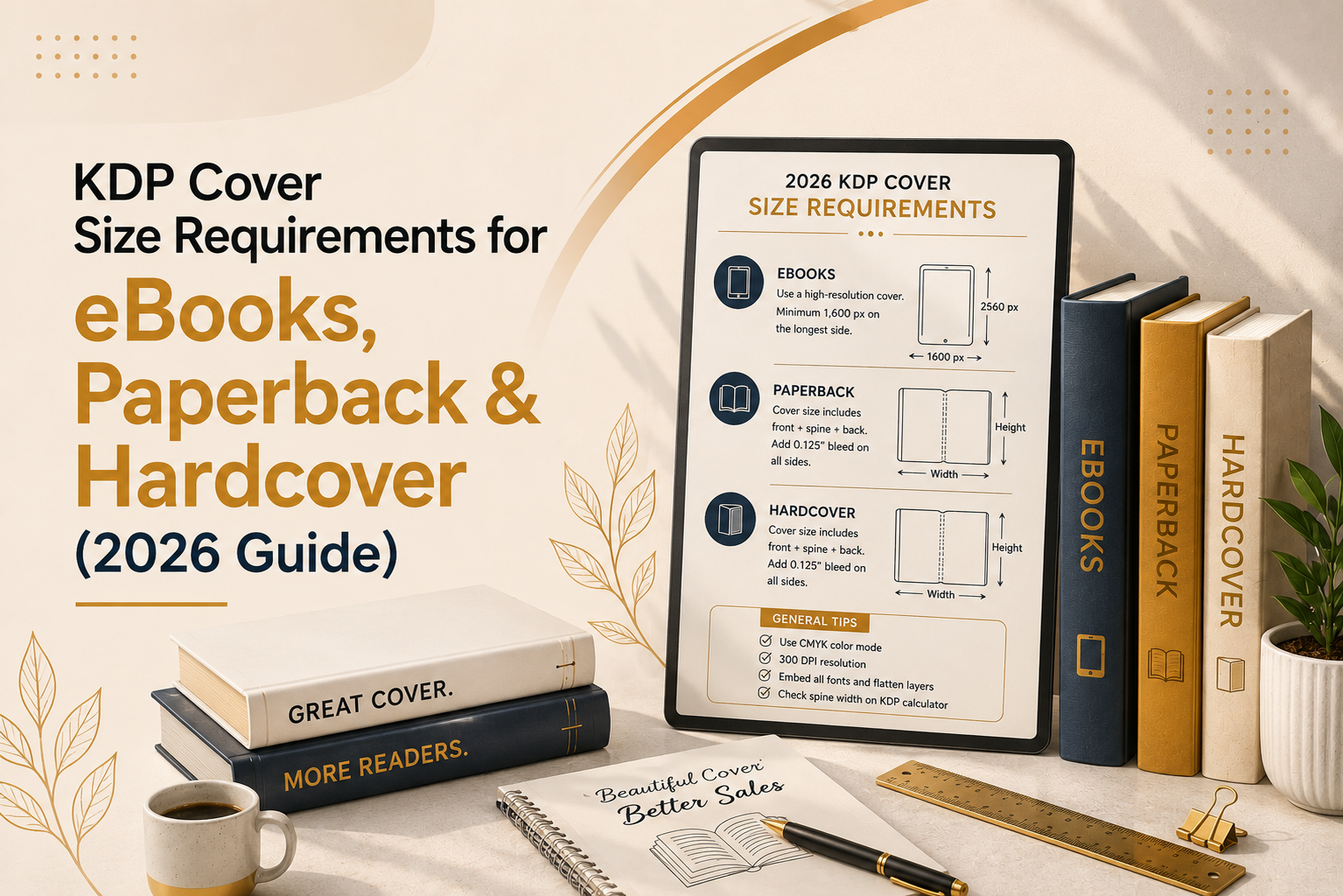
If you’re self-publishing on Amazon, getting your KDP cover size requirements right is one of the most important and most frequently mismanaged steps in the entire process. A cover that’s even a fraction of an inch off can bounce at upload, print with your title tucked awkwardly into the spine, or show a thin white sliver along the trimmed edge. None of that helps you sell books.
This guide breaks down the exact Kindle eBook cover size, KDP paperback cover dimensions, and KDP hardcover cover size requirements for 2026, along with bleed, spine width, DPI, and file format rules. Whether you’re designing your own cover or briefing a designer, bookmark this page you’ll want to reference it more than once.
Why Cover Dimensions Matter More Than You Think
Your book cover isn’t just marketing it’s a technical file that has to pass Amazon’s automated review before your book can go live. Get the dimensions wrong and you’ll face upload errors, delayed publishing, or a printed proof with visible white edges. Get them right, and your cover displays crisply on every device, from a Kindle Paperwhite to a high-resolution tablet, and prints cleanly with no rejections.
There are three completely different specs to keep straight: the eBook cover (a flat digital image), the paperback wraparound cover (front, spine, and back combined), and the hardcover cover (which adds board wrap and hinge allowances). Let’s go through each one.
Kindle eBook Cover Size Requirements
Your Kindle eBook cover is a single flat image no spine, no back cover, no bleed. Amazon’s official recommendation is:
- Recommended size: 1,600 × 2,560 pixels (width × height)
- Aspect ratio: 1.6:1 (height-to-width)
- Minimum size: 1,000 pixels on the longest side
- File format: JPEG or TIFF only (no PDF)
- Color mode: RGB
- Maximum file size: 50 MB
While 1,000 pixels is the technical minimum, designing at the full 1,600 × 2,560 pixel size is strongly recommended. Anything smaller risks looking soft or pixelated, especially on high-density tablet and phone screens, and in Amazon’s “Look Inside” preview. Never stretch a small image up to hit the recommended size enlarging a low-resolution file makes text and fine details look blurry rather than sharp.
A useful test once your cover is finished: shrink it down to thumbnail size (roughly 80 pixels wide) and see if the title is still legible. That’s how most shoppers will actually encounter your cover first, scrolling through search results on Amazon.
KDP Paperback Cover Dimensions
Paperback covers work very differently from eBook covers. Instead of a single flat image, KDP requires one continuous wraparound file that includes the back cover, spine, and front cover laid out left to right.
Core paperback specifications:
- File format: PDF (strongly preferred); PNG, JPEG, and PSD also accepted
- Resolution: 300 DPI minimum
- Color mode: CMYK (no spot colors)
- Bleed: 0.125 inches (⅛”) on all four outer edges
- Safe margin: Keep all text at least 0.25 inches inside the trim line
- Maximum file size: 650 MB
How Total Cover Size Is Calculated
The full wraparound width depends on your trim size, page count, and paper type:
Total cover width = Bleed (0.125″) + Back cover width + Spine width + Front cover width + Bleed (0.125″) Total cover height = Trim height + Bleed (0.125″ top) + Bleed (0.125″ bottom)
Spine width is calculated from your page count and paper type. For example, a 200-page paperback on white paper has a spine of roughly 0.45 inches, while the same page count on cream paper runs closer to 0.50 inches, since cream paper is slightly thicker per sheet.
Rather than calculating this by hand, use Amazon’s official KDP Cover Calculator, which generates exact dimensions — and a downloadable template — based on your trim size, page count, interior type, and paper color. This is the single most reliable way to avoid a rejected upload.
Common Paperback Trim Sizes
- 6″ × 9″ — the industry standard for fiction and general nonfiction
- 5.5″ × 8.5″ — a slightly more compact, pocket-friendly option
- 5″ × 8″ — mass-market style novels
- 8.5″ × 11″ — workbooks, coloring books, and activity books
- 8″ × 10″ — children’s picture books
Note that KDP classifies certain sizes as “Large” if they exceed 6.12″ in width or 9″ in height, which carries a slightly higher per-page printing cost.
KDP Hardcover Cover Size Requirements
Hardcover (case laminate) covers follow the same basic wraparound principle as paperback but add extra geometry to account for the rigid boards:
- Board wrap: 0.625 inches of overhang on all four outer edges
- Hinge channel: 0.375 inches on each side of the spine, where the cover folds
- Minimum page count: 75 pages
- Paper type: White paper only
- Maximum page count: 550 pages
- Available trim sizes: A subset of 8 sizes, including 5.5″ × 8.5″, 6″ × 9″, and 8.5″ × 11″
Because of the added board wrap and hinge allowance, a hardcover file is significantly larger overall than a paperback cover at the same trim size. Keep important design elements text especially well clear of the hinge area, since the crease there can distort artwork.
Bleed, Safe Zones, and the Barcode
A few universal rules apply to both paperback and hardcover covers:
- Bleed — Extend all background colors and images 0.125″ beyond the trim line on every edge. Without it, the finished book can show thin white edges after trimming.
- Safe area — Keep text and important design elements at least 0.25″ inside the trim line so nothing gets cut off during printing.
- Barcode zone — KDP automatically stamps an ISBN barcode in roughly a 2″ × 1.2″ rectangle at the bottom-right of the back cover. Leave that space clear, or design your own barcode placeholder there.
Quick Reference Table
| Format | Size / Ratio | File Type | Color Mode | Bleed |
| Kindle eBook | 1,600 × 2,560 px (1.6:1) | JPEG, TIFF | RGB | None |
| Paperback | Varies by trim size + page count | PDF preferred | CMYK | 0.125″ |
| Hardcover | Varies + 0.625″ wrap, 0.375″ hinge | PDF preferred | CMYK | 0.125″ |
Tips to Avoid the Most Common Cover Rejections
- Always design at 300 DPI from the start — never upscale a low-resolution image later
- Run your exact trim size and page count through the official KDP Cover Calculator before designing
- Preview your cover using KDP’s built-in Previewer and approve it before publishing
- Avoid spot colors; convert everything to CMYK for print covers
- Double-check your author name and title spelling match what’s listed in your Author Central profile, since inconsistencies between your cover, metadata, and Author Central page can cause listing issues
If you manage multiple titles, keeping your Author Central author page updated bio, photo, and bibliography alongside correctly sized covers helps your books present a consistent, professional storefront to readers browsing your catalog.
Final Thoughts
Cover dimensions might be the least glamorous part of self-publishing, but they’re also the most unforgiving. Interior formatting has some wiggle room; a cover file that’s even slightly off simply won’t upload or worse, prints incorrectly after you’ve already ordered proofs. Once you understand the three separate specs eBook, paperback, and hardcover — the process becomes mechanical: pull your numbers from KDP’s official calculator, design at full resolution, and preview before you publish.
Get the technical side right once, and you can spend the rest of your energy where it actually matters writing a cover that makes readers stop scrolling and click “Buy Now.”